The holiday season can be risky not only because of possible injuries during sports activities, but also for your digital devices. When travelling, we lose our phones or laptops more often than at almost any other time. Maybe we forget them on a train, at the beach or at a festival. Maybe someone simply steals them. And that is not all. There is also the risk that some of your information may end up in the wrong hands.
Here are a few tips on how to reduce that risk.
-
Set up automatic locking
Never leave your phone or laptop unlocked in public places, for example on a table in a restaurant, café or bar.
Set your phone to lock automatically after a reasonably short time. One minute should be about right: not too long, but also not so short that it makes normal use annoying.
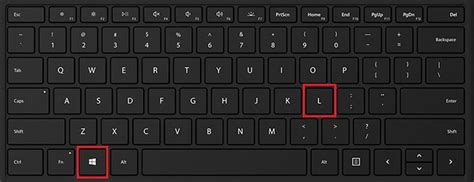
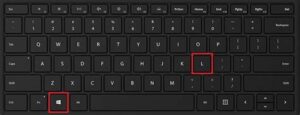 Get into the habit of locking your laptop every time you step away from it. Even if you only get up from your café table to get some sugar. On Windows and most Linux distributions, you can use the Win + L keyboard shortcut. On a MacBook, Command + Control + Q should do the same.
 -
Use a good lock
When travelling, use fingerprint unlock or Face ID for your phone or laptop whenever possible. During the rest of the year, I usually recommend using a sufficiently long and unique passwordIn general, a password is an arbitrary string of characters including letters, digits, or other symb... More or PIN. But on holiday, the bigger problem is often the number of cameras around you and tourists filming everything they see. It is easy not to notice that someone is watching or recording you while you type your passwordIn general, a password is an arbitrary string of characters including letters, digits, or other symb... More.
If you do use a passwordIn general, a password is an arbitrary string of characters including letters, digits, or other symb... More or PIN, avoid the obvious ones like “password” or “iloveyou”. PINs like “0000” or “1234” are not a great idea either.
Unlocking your phone with a pattern, by connecting dots on the screen, can also be risky. Your fingers leave traces on the display.
Tip: Use passwordsIn general, a password is an arbitrary string of characters including letters, digits, or other symb... More in Czech or Slovak.
-
Be careful with public Wi-Fi networks
You know how it goes. You land in a country outside the EU and need to read an e-mail, post a photo on Instagram or find accommodation. And you do not really want to pay for data roaming. So, right there at the airport, you search for the nearest public and free Wi-Fi network and connect to it.
And guess what? Hackers know that people do this at airports. It is not difficult for them to create a Wi-Fi network called something like “Airport Free Internet” from their own device. Then they just wait for someone to connect and start collecting data.
The same applies to restaurants and cafés. That is why it is usually better to pay extra for roaming. And if that is really not possible for some reason, at least use a VPN. It encrypts your data so that an attacker cannot read it.
-
Do not tell the world that your home is empty
The urge to show your friends that you are enjoying your holiday can be hard to resist, but try to wait. A photo from Bibione or Mont Blanc can be a great tip for a burglar, who will immediately know that no one is home to disturb them.
You can upload photos to Instagram or Facebook after you return. And you will probably enjoy your holiday without social networks much more anyway.
Tip: Be offline. It is nice 🙂
-
Be careful with photos of children
Photos of your children from the beach that you share on social networks may end up on websites used by paedophiles. Such photos can be a strong attraction for them. If you want to share these photos with family or friends, send them by e-mail, or even better, through a messenger app, ideally via Signal Messenger.
-
Enable disk encryption
If you lose your laptop during your holiday, it is definitely better if the data on the disk cannot be read by someone who might misuse it.
On Windows, you can use BitLocker. On Apple devices, there is FileVault, and on Linux there is LUKS. Alternatively, you can use the open source software VeraCrypt.
-
Border checks and adult content
In some countries, border officers may ask you for passwordsIn general, a password is an arbitrary string of characters including letters, digits, or other symb... More to your devices or even your social media accounts. If you are travelling to such a country, be careful about what you have stored on your device. There are countries where saved adult content may get you into trouble.
Many people travelling to these countries use a different, “clean” laptop and phone.
-
Back up before your holiday
If you lose your device during your holiday, a backup of your files or contacts will definitely come in handy. Do not underestimate it.
If your phone or laptop is actually lost or stolen, here are a few tips on how to minimise the damage.