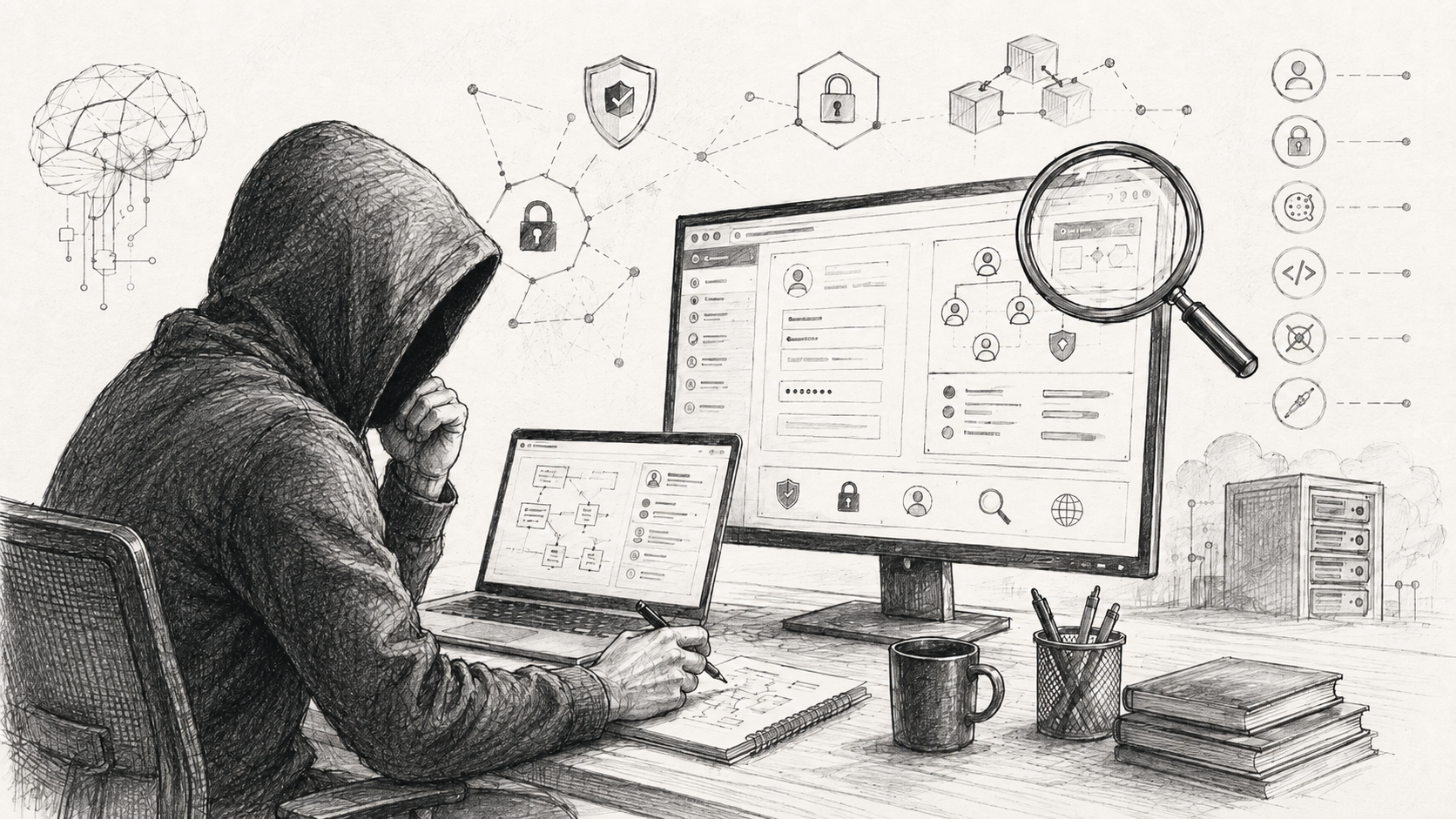
Working with someone else’s Git repository is completely normal. It might be an open-source project, code delivered by a contractor, a take-home assignment, a new project at work, or simply a repository someone has asked you to review.
Cloning it is the obvious first step. From a security perspective, the more interesting question is what starts running after that.
Your editor may load project-specific configuration. A package manager may execute scripts during installation. Builds and tests run additional code. Submodules may pull in more repositories. A coding agentAn AI system that does not only answer, but can use tools and perform steps. More may perform several of these steps automatically. And if you received the entire working directory, including .git, local repository configuration can even change how Git itself behaves.
That does not mean every unfamiliar project needs a dedicated malware-analysis lab. It does mean it is useful to know when you stop merely reading a project and start allowing it to execute code.
Opening a project can mean more than viewing source files
A modern editor or IDE is not just a text viewer. Once a project is opened, it may load workspace-specific settings, run tasks, configure a debugger, initialize a build system, or enable other project-level automation.
This is why development environments increasingly distinguish between trusted and untrusted projects.
VS Code, for example, has Workspace Trust and Restricted Mode. Until you trust a workspace, it restricts features such as tasks, debugging, and some workspace settings. JetBrains IDEs have a similar Safe Mode that lets you inspect source code without automatically running Maven or Gradle imports and other project scripts.
If your editor asks whether you trust an unfamiliar project, it is not merely showing you another dialog to dismiss. That decision can determine which project-controlled features are allowed to run automatically.
For an initial review, it therefore makes sense to keep a restricted or safe mode enabled if your development environment provides one.
Installing dependencies can already execute code
The next important boundary is project setup.
A JavaScript project will often tell you to run something like:
npm install
npm run dev
npm install is not limited to downloading files into node_modules. npm supports lifecycle scripts such as preinstall, install, postinstall, and prepare, and these may run automatically during installation.
These hooks are a legitimate part of the ecosystem and many perfectly normal packages rely on them. But they are still executable code.
Before installing an unfamiliar project, it is therefore worth checking at least its package.json and the scripts it defines.
For an initial inspection, npm can also install dependencies without running package scripts:
npm install --ignore-scriptsThis prevents npm from automatically executing lifecycle scripts during installation. It is not a sandboxAn isolated environment where code can run with less impact on the rest of the system. More, and it does not make the project safe. If you later explicitly run npm run dev, npm test, or another script, that command will still execute its target.
What it does give you is a way to separate downloading dependencies from automatically executing additional code during installation.
The same principle applies outside npm. Maven, Gradle, Python packaging systems, Make, Cargo, and other build or package systems all have their own ways of executing code during setup and builds. The exact mechanism changes, but the security question remains the same: what actually runs when I perform the step described as installation, build, or test?
A malicious command does not have to look malicious
I ran into exactly this problem while analyzing a malicious repository sent as part of a fake job offer.
Its README contained a perfectly ordinary instruction:
npm run devThe project did start. At the same time, malicious code executed in the background, discovered the address of its command-and-controlA communication channel through which an attacker controls a compromised system. More server, downloaded additional code, and began establishing persistence in development tools.
The attacker did not need to convince the victim to run something called run-malware. The malicious behavior was hidden behind a step that someone reviewing a frontend project would normally perform anyway.
I described the full case in I Ran Malware on Purpose. It Found Its Server Address in the Blockchain.
This is why looking only for obviously suspicious commands is not enough. It also matters what an ordinary command launches, imports, downloads, or executes behind the scenes.
A coding agent can walk through the same chain automatically
Coding agents do not create this problem, but they can make the entire sequence much faster and less visible.
If you ask an agentAn AI system that does not only answer, but can use tools and perform steps. More to “review this project and explain how it works,” it may be able to stay entirely within static analysis. But a task such as “get the project running,” “fix the failing tests,” “find the bug,” or “verify that the application works” may legitimately require it to install dependencies, run a build, execute tests, start a development server, or launch other tools defined by the project.
The agentAn AI system that does not only answer, but can use tools and perform steps. More does not have to violate your instructions. It can follow them exactly and still execute a malicious install or build script.
That is why limiting the environment in which the agentAn AI system that does not only answer, but can use tools and perform steps. More operates is more useful than relying on it to correctly identify every dangerous command.
Claude Code, for example, separates tool permissions from sandboxingAn isolated environment where code can run with less impact on the rest of the system. More. Permissions determine which tools the agentAn AI system that does not only answer, but can use tools and perform steps. More may use, while the sandboxAn isolated environment where code can run with less impact on the rest of the system. More can restrict filesystem and network access for BashA common Unix shell used on Linux and servers. More and the processes BashA common Unix shell used on Linux and servers. More launches. That means the same boundaries can also apply to npm, build scripts, test runners, and other child processes started by the agentAn AI system that does not only answer, but can use tools and perform steps. More.
The sandboxAn isolated environment where code can run with less impact on the rest of the system. More can be configured from Claude Code with:
/sandboxFor a genuinely untrusted project, sandboxingAn isolated environment where code can run with less impact on the rest of the system. More is most useful when combined with restricted access to sensitive files and unnecessary network destinations. Requiring confirmation for every individual command is a weaker control on its own. A long sequence of otherwise routine-looking commands can also lead to approval fatigue, where prompts are eventually confirmed almost automatically.
One repository can pull in more repositories
Git submodules allow one repository to reference additional Git repositories. Their configuration lives in .gitmodules, which is part of the repository itself.
That makes these two commands meaningfully different:
git clone https://example.com/project.gitand:
git clone --recurse-submodules https://example.com/project.gitThe second form immediately starts resolving and cloning additional repositories referenced by the project.
With an unfamiliar repository, there is little reason to initialize submodules before checking where they point. You can inspect .gitmodules first and initialize the submodules only if you actually need them.
Git also has protocol policies for network operations triggered indirectly. Some protocols are allowed by default, the more dangerous ext protocol is disabled, and others may use the user policy, which distinguishes between a transport explicitly requested by the user and one triggered automatically, for example by a submodule.
There is usually no reason to loosen these defaults globally. If a particular project requires broader protocol permissions, it is better to understand why before changing them.
Receiving someone else’s .git is a different situation
So far, we have assumed that you clone a normal remote repository yourself.
The situation changes if someone gives you the entire working directory, for example as a ZIP archive, through a shared drive, or in a synchronized folder:
project/
├── src/
├── package.json
├── README.md
└── .git/
In that case, you did not receive only the source files and Git history. You also received someone else’s local Git metadataData about communication or a file, not necessarily the content itself. For example time, sender, re... More.
This is where the distinction from a normal git clone matters. A remote clone does not copy the source repository’s local .git/config or its hooks. Git creates a new .git directory and new local configuration on your machine.
If someone hands you the entire directory including .git, however, you receive the configuration and hooks they prepared as well.
Git’s own security documentation explicitly warns about this. Repository-local configuration and hooks can cause arbitrary commands to run, which is why normal Git operations directly against an untrusted .git directory should not be treated as safe.
A current example: GitSpawn and core.fsmonitor
The recent GitSpawn research from Manifold Security provides a good example.
Git supports core.fsmonitor, which can help it detect changed files more efficiently. Its value, however, may also point to an external program.
An untrusted .git/config can therefore contain something equivalent to:
[core]
    fsmonitor = <program>
Some coding agents automatically queried the state of a Git repository after opening it. When Git performed an operation that refreshed its index, it used the configured fsmonitor and executed the attacker’s program.
That meant an apparently harmless command such as:
git statuscould result in execution of a program specified in the repository’s local configuration.
For this specific path, an automated status check can instead use:
git -c core.fsmonitor=false statusThe -c option overrides the configuration value for that Git invocation, so the repository’s core.fsmonitor setting is not used for this command.
A global setting such as:
git config --global core.fsmonitor falseis not a reliable defense against a malicious repository-local value. Repository configuration has higher precedence than global user configuration and can override it.
git -c core.fsmonitor=false status is also not a general-purpose way to “secure Git.” It addresses this specific core.fsmonitor path. Git configuration and hooks provide other ways to influence program execution.
safe.directory is not a list of trusted projects
Git has a protection mechanism for repositories owned by another user.
By default, Git refuses to work with a repository owned by someone else and will not trust its repository-local configuration or hooks. Specific exceptions can be added through safe.directory.
This is useful, for example, on multi-user systems.
It is not a general defense against a malicious repository. If you extract an archive prepared by someone else, the resulting files will normally be owned by your own account. From an ownership perspective, Git has no reason to reject them even though the contents of .git came from an untrusted source.
If Git reports “dubious ownership,” it is therefore a bad idea to solve the problem automatically with:
git config --global --add safe.directory '*'The * value disables the ownership protection globally. It is better to understand why a particular repository has a different owner and add a specific exception only when necessary.
When you actually need the untrusted .git
Sometimes there is no trusted remote copy and you need to preserve the history, branches, or other Git metadataData about communication or a file, not necessarily the content itself. For example time, sender, re... More from the directory you received.
Git recommends not working directly in the original repository in that case. Instead, create a fresh clone from it:
git clone --no-local /path/to/original-repository /path/to/clean-copy--no-local prevents Git from using the usual local-clone optimizations and creates a new repository through the normal Git transport mechanism. The resulting copy therefore gets a new .git directory instead of inheriting the original repository’s local configuration and hooks.
This is still not an absolute sandboxAn isolated environment where code can run with less impact on the rest of the system. More. The server side of the clone is handled by git-upload-pack, and Git’s own documentation points out that this component has an attack surface of its own. For a genuinely hostile .git directory, Git recommends running that side under an unprivileged user or adding another isolationAn isolated environment where code can run with less impact on the rest of the system. More layer.
If you do not need the history at all, the simpler option is not to use the supplied .git directory in the first place.
You can also restrict automatic bare-repository discovery
Git can work with bare repositories, which contain Git data without a normal working tree.
If you do not use bare repositories in your normal workflow, Git provides a useful hardening option:
git config --global safe.bareRepository explicitWith this setting, Git will not automatically operate on a bare repository that it merely discovers somewhere in the directory structure. The repository has to be selected explicitly.
Git documents this option as a mitigation for attacks in which a cloned project contains another bare repository that a later Git command discovers automatically.
When you really need to run the project
Static inspection only gets you so far. At some point you may need to start the application, reproduce a bug, run tests, or observe its behavior.
At that point you already know you are going to execute untrusted code. The most important question is no longer another individual Git setting, but the environment in which that code will run.
A normal developer account may have access to SSH keys, private repositories, Git and cloud tokens, production .env files, saved sessions, other source trees, or credential agents running in the background.
An unfamiliar project usually needs none of these.
If you do not trust a project but still need to run it, use a disposable or otherwise restricted environment without real credentialsThe information used to log in to a service, usually username, email, password, code, or security ke... More and without unnecessary access to host data.
Depending on the risk, that may be a sandboxAn isolated environment where code can run with less impact on the rest of the system. More, a separate user account, an isolated development environment, or a disposable virtual machine.
A container can be part of that setup, but “it runs in Docker” is not the same as strong isolationAn isolated environment where code can run with less impact on the rest of the system. More. Docker bind mounts are writable by default, which allows a process in the container to modify files on the host. Access to the Docker daemon is even more powerful; Docker’s own documentation warns that controlling the daemon effectively grants root-level capabilities on the host.
I would therefore avoid exposing the Docker socket, a full home directory, an SSH agentAn AI system that does not only answer, but can use tools and perform steps. More, or credential directories to an untrusted container. If the project only needs to read host files, a read-only mount is preferable to a writable one.
Network access deserves the same treatment. If the project does not need unrestricted outbound connectivity, there is no reason to provide it automatically.
A VM snapshot is useful for restoring disk state. It is not a defense against data exfiltration. Rolling back a machine does not revoke a tokenA secret string used by an application to authenticate to an API. More that has already been sent somewhere else.
Practical security baseline
None of the measures below make an untrusted repository trustworthy on their own. They reduce different ways in which a project, Git, or the tools around it can execute code or reach the rest of your system.
| Situation | What to do | Why | What it does not solve |
|---|---|---|---|
| Opening an unfamiliar project | Use Restricted / Safe Mode if your editor or IDE supports it. | Limits automatic tasks, builds, and project-controlled configuration before review. | Does not protect you from code you later choose to execute. |
| Initial npm installation | npm install --ignore-scripts |
Prevents lifecycle scripts from running automatically during installation. | It is not a sandboxAn isolated environment where code can run with less impact on the rest of the system. More. An explicit npm run still executes its target script. |
| Git submodules | Do not start with --recurse-submodules; inspect .gitmodules first. |
The main repository may point to additional code sources. | Says nothing about whether the main repository itself is safe. |
| Git protocol policy | Do not loosen protocol.*.allow globally without a specific reason. |
Git already has security-oriented defaults for automatically triggered transports and submodules. | An allowed HTTPS or SSH repository can still contain malicious code. |
| Repository owned by another user | Do not use safe.directory=* globally. Add a specific exception only when necessary. |
Preserves Git’s ownership protection. | Does not protect you from a malicious repository that is already owned by your account. |
| Bare repositories | git config --global safe.bareRepository explicit if you do not normally rely on implicit bare repositories. |
Restricts automatic discovery of a bare repository embedded in an untrusted project. | Does not address normal working-tree repositories or other execution paths. |
An entire untrusted .git directory |
git clone --no-local /source /clean-copy |
Creates a fresh .git instead of working directly with untrusted local configuration and hooks. |
git-upload-pack still has its own attack surface; highly untrusted input should be isolated further. |
Automated git status against an untrusted .git |
git -c core.fsmonitor=false status |
Prevents that command from using a repository-supplied core.fsmonitor program. |
Addresses only this specific GitSpawn path. |
| Coding agentAn AI system that does not only answer, but can use tools and perform steps. More | Use a sandboxAn isolated environment where code can run with less impact on the rest of the system. More and restrict filesystem and network access. In Claude Code, for example, configure sandboxingAn isolated environment where code can run with less impact on the rest of the system. More through /sandbox. |
The same restrictions can apply to processes started by the agentAn AI system that does not only answer, but can use tools and perform steps. More, including npm and build scripts. | SandboxingAn isolated environment where code can run with less impact on the rest of the system. More does not replace sensible permissions and review of sensitive actions. |
| Running genuinely untrusted code | Use a disposable or restricted environment without SSH keys, production tokens, cloud credentialsThe information used to log in to a service, usually username, email, password, code, or security ke... More, the host Docker socket, or other unnecessary data. | Reduces the impact if malicious code actually runs. | Does not prevent the malicious program from executing. |
| Docker | Do not expose the Docker socket to untrusted containers; restrict host mounts and make them read-only where possible. | The Docker socket provides extremely powerful host access, while writable bind mounts allow changes to host files. | A container is not, by itself, a complete security boundary. |
| Git and surrounding tooling | Keep supported versions up to date using the normal update mechanism for your operating system or distribution. | Git, package managers, editors, and runtimes all have security vulnerabilities of their own. | Updates do not protect against legitimate features being used maliciously exactly as designed. |
How much trust does the project actually need?
You do not have to decide once and for all whether an unfamiliar repository is “safe” or “unsafe.”
It is more practical to grant trust gradually.
Reading source files does not require access to your SSH keys. Installing dependencies does not always require running every install hook. A coding agentAn AI system that does not only answer, but can use tools and perform steps. More that only needs to explain the architecture does not automatically need permission to execute arbitrary software. And a project that really does need to run does not have to run under the same account, with the same credentialsThe information used to log in to a service, usually username, email, password, code, or security ke... More, as the rest of your development work.
The less trust a particular step requires, the less trust there is a reason to give it.
Need to review the security of a development environment, CI workflow, or coding-agent setup?
If you need a second opinion on a concrete workflow, permission model, or technical security design, we can go through it as part of a Security Consultation. The goal is a practical recommendation for your actual environment, not an unnecessarily broad audit.
Sources
- Git documentation – SECURITY: untrusted repositories, configuration, hooks, and recommendations for handling an untrusted
.git. - git-config documentation:
safe.directory,safe.bareRepository, protocol policies, andcore.fsmonitor. - git-clone documentation: local cloning and
--no-local. - npm Scripts documentation: lifecycle scripts executed during installation.
- npm install documentation:
--ignore-scripts,allowScripts, andstrict-allow-scripts. - Claude Code Security and Sandboxing: permissions, filesystem isolationAn isolated environment where code can run with less impact on the rest of the system. More, and network restrictions.
- VS Code Workspace Trust.
- JetBrains Project Security.
- Docker Engine security and Bind mounts.
- Manifold Security: GitSpawn.